Archives for category: General

The Cultural Heritage Informatics Initiative at Michigan State University is hosting a field school for Cultural Heritage Informatics (CHI) from May 31st to July 1st, 2011.

The CHI Fieldschool is a unique experience that employs the model of an archaeological fieldschool (in which students come together for a period of 5 or 6 weeks to work on an archaeological site in order to learn how to do archaeology).  Instead of working on an archaeological site, however, students in the CHI Fieldschool will come together to collaboratively work on several cultural heritage informatics projects.  In the process they will learn a great deal about what it takes to build applications and digital user experiences that serve the domain of cultural heritage – skills such as programming, media design, project management, user centered design, digital storytelling, etc.

Most archaeologists that I know see the end result of their research as a publication. More often we are seeing the integration (or at least the desire of integration) of electronic data into published accounts. Very few see the need to introduce their projects in a user centered design for the presentation of their data. Field schools like this one help us meet in the middle. Knowing what people are doing with the presentation of the data can help create good data collection policies in the field.
I won’t be able to attend the SAA (Society of American Archaeologists) this year but there are more interesting panels there for digital archaeology than usual.

The Digital Data Interest Group Electronic Symposium is titled From the Ground up: Best Practices for Balancing Usability with Theoretical Utility in Archaeological Databases. The link above takes you to abstracts of their papers.

Josh Wells, the author of the page mentioned above, also has a list of other items of interest to members of the DDIG group at the Alexandria Archive blog.

tDAR also has a news item listing the various ways that they are participating at the SAAs.

Colleen Morgan of Middle Savagery is running a Blogging Archaeology panel and the advanced comments from other bloggers has generated much discussion.

Last spring, while preparing the team to use iPads in the field, one of the features I was really excited about was the ability to take audio notes with the built-in microphone. When discussing which app to use for notebooks, one of the contenders was Notability. It had a quirky interface but it was (and still is, as far as I know) the only app that acted like a word processor with drawing and recording tools. It didn’t require a text box to enter text, and it didn’t require endless arranging and rearranging of elements while in use. But it was the voice recorder that I liked most of all. Since some people have a hard time getting used to the on-screen keyboard, I thought that they would jump at the chance to get their thoughts down while in the trench looking at what they wanted to describe and then transcribe and clean it up for the final notebook entry. But I was wrong, they didn’t want to use it at all. It was the best unused feature of the iPads that summer. In the end we went with Pages, simply because it was a word-processor and if there is anything grad students understand, it is a word processor.

After the summer, when we started talking about how we used the iPads, one of the most common comments was “if only it had a camera.” And a camera would have been nice, but only for general information or research shots. You can’t publish images from cell phone cameras. They just aren’t that good yet. And I don’t like to have two levels of photography, one for research and one for publication, that is too much work (it is hard enough getting people to write captions for the pictures they take with the excavation cameras) and before you know it you forgot to take the ‘good’ photos of a wall before you started dismantling it.

Don’t get me wrong, I wanted a camera on the iPad. But I wanted it for video recording, not still shots. Each Friday at the end of the day we have a trench tour for the entire team. It is there that we get to see what everyone else has been doing, and there that we get to see how the features uncovered in one trench might interact with features excavated in other trenches. I want to record that. We could have been doing this with a movie camera, sure, but I want the team members to get used to doing it themselves so that they see the potential of short explanatory movies that might convey much more than stills and drawings.

So now that the iPad2 has been introduced with a video camera (cameras are also included in all of the other tablets shipping this spring and summer) I want to know: will the camera be the best unused feature of the new season?

Note: Michael Jennings is a Ph.D. candidate at the University of Chicago. He is responsible for the recording at the Jericho Mafjar Project. This past Fall, he spoke with some of the PARP:PS participants including myself about adopting the iPads for his project. I asked him to write an entry for this blog noting, in particular, what he is doing differently than we do at PARP. He can be reached at mdj@uchicago.edu.

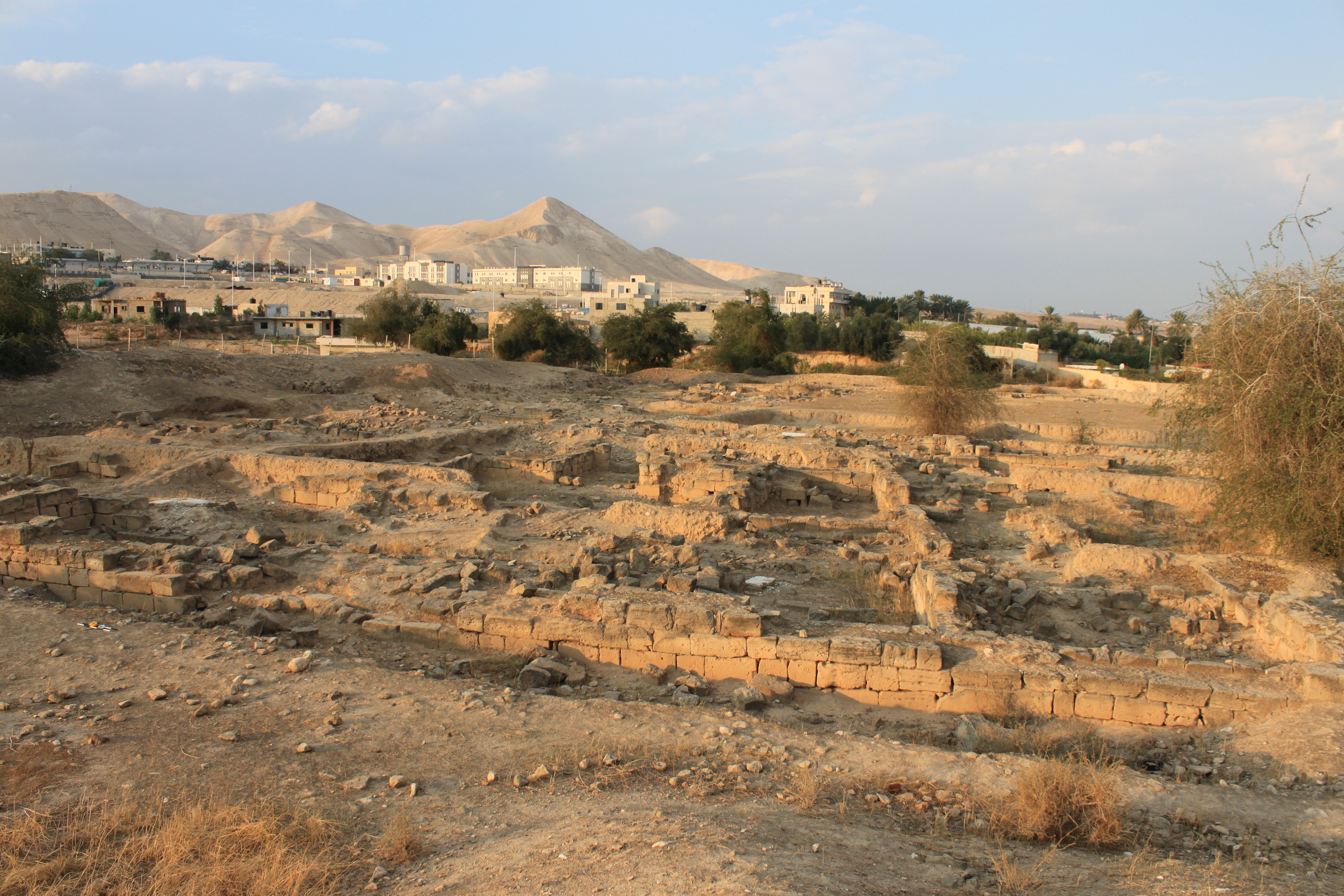
What does one do with an entire area of an archaeological site for which all records of excavation (including plans, notes, and finds) have been lost? Addressing this question was one of the main objectives of the 2011 Jericho Mafjar Project (JMP), a joint archaeological investigation of the Palestinian Department of Antiquities and the University of Chicago at the iconic site of Khirbat al-Mafjar in modern Jericho. The site, as we know it today, consists of two main areas: a southern sector that includes a palace, pavilion, and magnificent bath, and a northern area. The northern area, excavated by a Jordanian team in the 1960s, is the area for which all records are missing.

Read the rest of this entry »

Before FileMaker Go came out, FMTouch was the only way to get FileMaker databases on an iOS device (there is also a FMTouchBB for Blackberry). FMTouch is an app that runs on the iPad (or iPhone/iPod Touch) and a matching plug-in that is installed in the FileMaker Pro application on the desktop computer. FMTouch works by using what is knows as a DDR (Database Design Report) from your FileMaker Pro database, then uploading that DDR to FMTouch on the iPad over wifi. Once installed and initialized, FMTouch is used offline and syncs with the desktop database whenever you choose.

The trick is getting the DDR. You can’t make one with the normal version of FileMaker Pro, it requires FileMaker Pro Advanced. However, FMTouch has a service where you can upload your database and they will make one for you. 

In order to work with FMTouch the size of the DDR report has to be smaller than 10MB. The DDR report from the database that I uploaded for PARP:PS is 28.8 MB, and too large for FMTouch. The PARP:PS database is also not optimized for a touch screen as the elements (check boxes, radio buttons, text fields) are too small.

The best answer that I could come up with was to make a smaller version of the database that only had the elements that we needed in order to use it in the field. The PARP:PS database is named PS_11.fp7. So I made another file with the same name (in a subfolder so to keep from getting confused) and stripped most of the database away. The main database has 34 tables. The iPad database has 12. The main database has 86 layouts and 60 scripts. The iPad database has 6 layouts and 2 scripts. The design elements are all larger and the layouts are sized to the iPad. The DDR for the new database is 5.6 MB. Read the rest of this entry »