Archives for category: Database

Field projects generate a huge number of photos. Those photos are also used at every phase of the project: writing field reports at the end of the project, research during the off-season, presentation of preliminary results in lectures, illustration for publication, and finally repository in (hopefully) some useable searchable form for others to use.

Too often projects rely on their own folder techniques. That is, someone creates a series of folders and sub-folders to hold the images and that folder follows them wherever they go. There are obvious problems with this approach. The most unfortunate is that the images never get cross-indexed. Whether you file things by date or subject, you often end up wanting a particular photograph for a different context. If you file all photos by trench and photo date, how can you find all photos of water pipes, for example? The second most obvious issue is that, if the photos are organized by subject, who does the organizing? I have worked on projects where the trench supervisors organize their own trench photos and then hand them in at the end of the season. The result is a series of folders with idiosyncratic organizational schemes that promises time wasted looking for a particular photo.

I have worked a long time to get a technique that fixes all of these problems, including the archival issue, and while it might look complex at first, once set up it is fairly painless. And it allows you to search for an image that you want without a database. Read the rest of this entry »
The FMTouch software served us well during the 2010 season. In the middle of the season FileMaker came out with their own software: FileMaker Go. FileMaker Go does not rely on the DDR to create the database layout as does FMTouch. Instead the original FileMaker database can be copied to the iPad using the file transfer feature in iTunes. FileMaker Go then opens up the database with fewer limitations than FMTouch. Most script steps, calculations, and layouts just work. FileMaker Go will also let you open a database over a network,  so that multiple people can edit the database at the same time. The JMP project, mentioned in the previous post, used FileMaker Go.

Since our iPads work offline in the trench, we would need to have a copy of the database on all iPads. With three trenches open and all of them running their own local databases, and the ‘live’ hosted database being edited nearby we would have four copies of the same database. This leads us to the downside of FileMaker Go: no automatic syncing. That is the strong suit of FMTouch and one that will be missed. Instead I will have to alter our database to allow audit trails where we track changes to the database on each device (something I have been meaning to do anyway), and create my own scripts for syncing the data to avoid overwriting new data with old.

The audit trail should be fairly easy to do. Essentially I need to create a new table to hold the old and new data and use script triggers in the layouts to force new records to be created in the audit table.

The syncing is a different matter. I have been following how some people handle syncing and how some have had problems doing so. For instance  I use Dropbox heavily and I never have to worry about syncing issues. But my iDisk seems to have issues regularly. And the folks at Cultured Code, the developers of Things (GTD task management software) seem to be taking their own time waxing philosophically about how sync should work. I have also been reading about Zotero’s syncing issues. So I get it, syncing is hard but can be done and I will work on getting something in place soon so I have time to test it before we make our final decision about databases this year.

One of the problems I recently noticed is that the iPad does not sync with a time server. Last week I noticed that my iPad was over 5 minutes off and right now it is 63 seconds slow (thanks Emerald Time!). This means that I have to adjust the sync script to allow for some minor time discrepancies when recognizing the creation and modification times of a record.

Once I get these issues worked out, I will post a new version of the database.

Note: Michael Jennings is a Ph.D. candidate at the University of Chicago. He is responsible for the recording at the Jericho Mafjar Project. This past Fall, he spoke with some of the PARP:PS participants including myself about adopting the iPads for his project. I asked him to write an entry for this blog noting, in particular, what he is doing differently than we do at PARP. He can be reached at mdj@uchicago.edu.

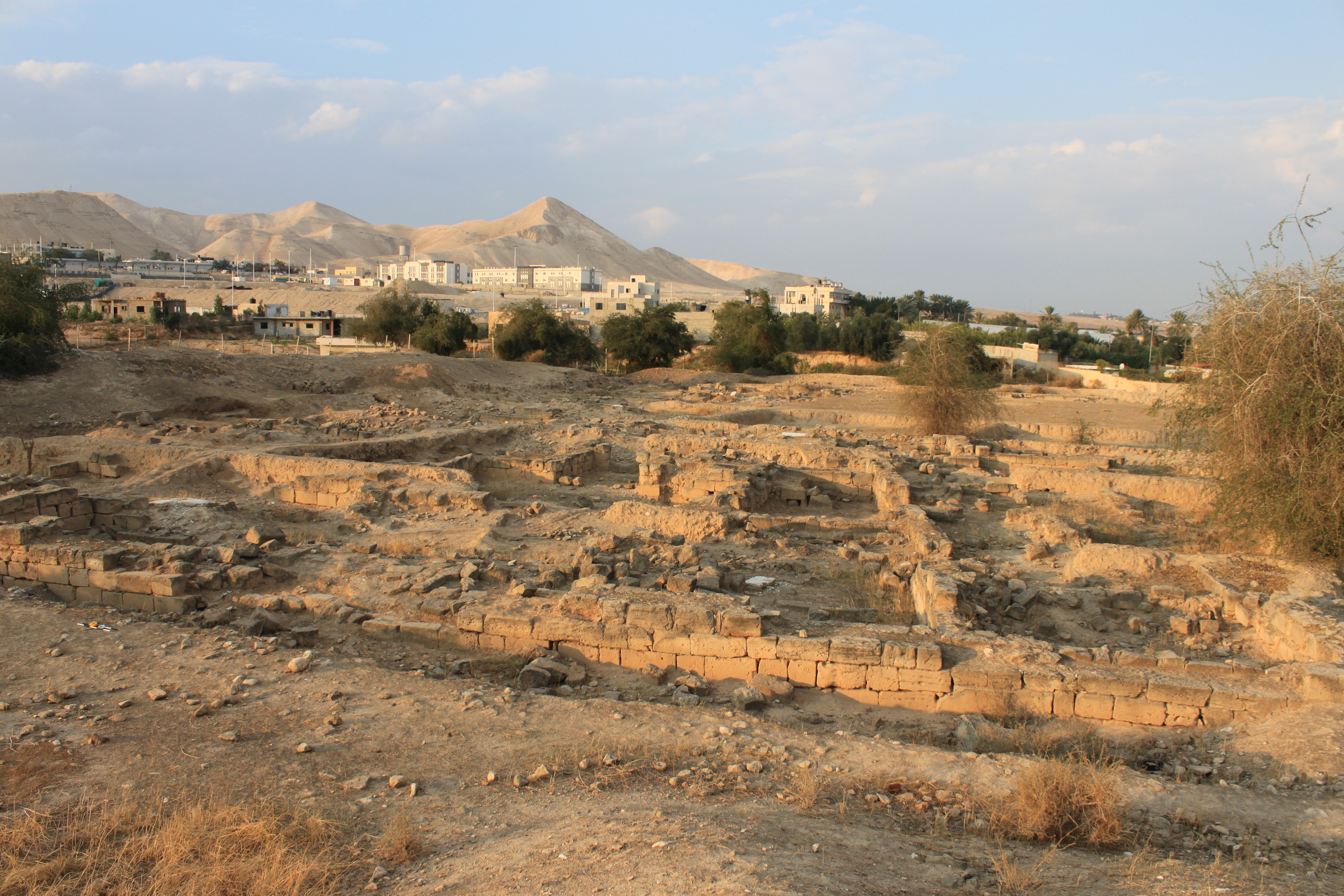
What does one do with an entire area of an archaeological site for which all records of excavation (including plans, notes, and finds) have been lost? Addressing this question was one of the main objectives of the 2011 Jericho Mafjar Project (JMP), a joint archaeological investigation of the Palestinian Department of Antiquities and the University of Chicago at the iconic site of Khirbat al-Mafjar in modern Jericho. The site, as we know it today, consists of two main areas: a southern sector that includes a palace, pavilion, and magnificent bath, and a northern area. The northern area, excavated by a Jordanian team in the 1960s, is the area for which all records are missing.

Read the rest of this entry »

Before FileMaker Go came out, FMTouch was the only way to get FileMaker databases on an iOS device (there is also a FMTouchBB for Blackberry). FMTouch is an app that runs on the iPad (or iPhone/iPod Touch) and a matching plug-in that is installed in the FileMaker Pro application on the desktop computer. FMTouch works by using what is knows as a DDR (Database Design Report) from your FileMaker Pro database, then uploading that DDR to FMTouch on the iPad over wifi. Once installed and initialized, FMTouch is used offline and syncs with the desktop database whenever you choose.

The trick is getting the DDR. You can’t make one with the normal version of FileMaker Pro, it requires FileMaker Pro Advanced. However, FMTouch has a service where you can upload your database and they will make one for you. 

In order to work with FMTouch the size of the DDR report has to be smaller than 10MB. The DDR report from the database that I uploaded for PARP:PS is 28.8 MB, and too large for FMTouch. The PARP:PS database is also not optimized for a touch screen as the elements (check boxes, radio buttons, text fields) are too small.

The best answer that I could come up with was to make a smaller version of the database that only had the elements that we needed in order to use it in the field. The PARP:PS database is named PS_11.fp7. So I made another file with the same name (in a subfolder so to keep from getting confused) and stripped most of the database away. The main database has 34 tables. The iPad database has 12. The main database has 86 layouts and 60 scripts. The iPad database has 6 layouts and 2 scripts. The design elements are all larger and the layouts are sized to the iPad. The DDR for the new database is 5.6 MB. Read the rest of this entry »

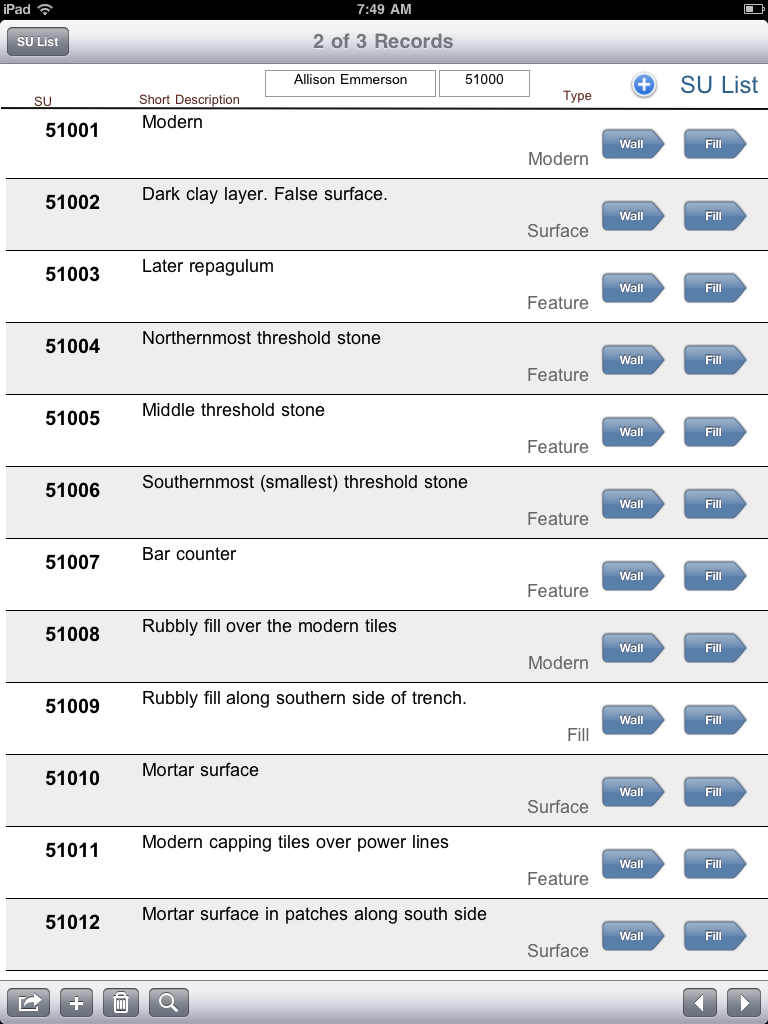
The iPad version of the database looks vastly different from the desktop. We stripped all but the essential fields from the database in order to speed it up and make the syncing go faster. The elements here are all designed for the iPad, with larger text fields and elements such as radio buttons and checkboxes. We also made use of drop-down menus for dates and a few other fields.


The list view of SUs lets you browse through the list, but it isn’t a real list view. In FileMaker terms, it is a portal, and doesn’t sort properly (for instance SU 50010 is in the database but doesn’t show up in this list). We found a work-around by viewing the SU table in a table view (see below). The scripting engine in FMTouch isn’t as robust as the FileMaker itself, and while the FMTouch database knows which SUs are fills and which ones are wallSUs, it can’t go to a layout based on that data, so there are buttons for both Wall and Fill and you have to tap the right one to see the right screen. Read the rest of this entry »